Run the whole boarding, not the WhatsApp group.
Bookings, care logging, parent updates and invoices, for dog boarding facilities. Your carers log the day in taps; parents get a live link while the dog is with you.
Free for every facility right now — no card, no caps on dogs, kennels or staff.
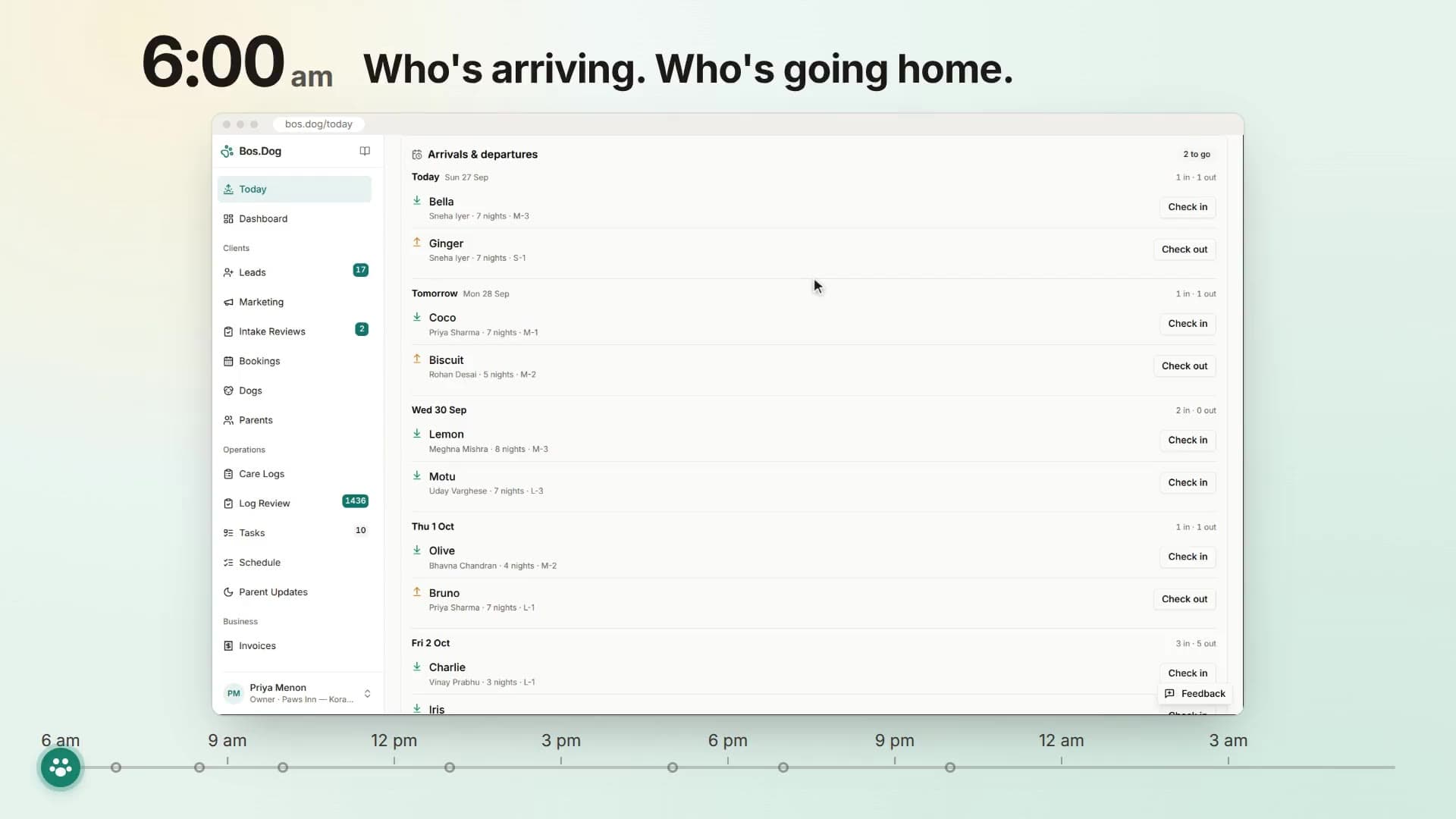
What it takes off your desk
- WhatsApp groups
- for bookings and updates
- The paper register
- for who's in, who's out
- An Excel tracker
- for kennels and dates
- Hand-made invoices
- for billing and tax
1Get found and booked
Parents find you, ask, and book
Your own website, enquiries that turn into leads, and online booking for the parents who'd rather not call. Free, like everything else.
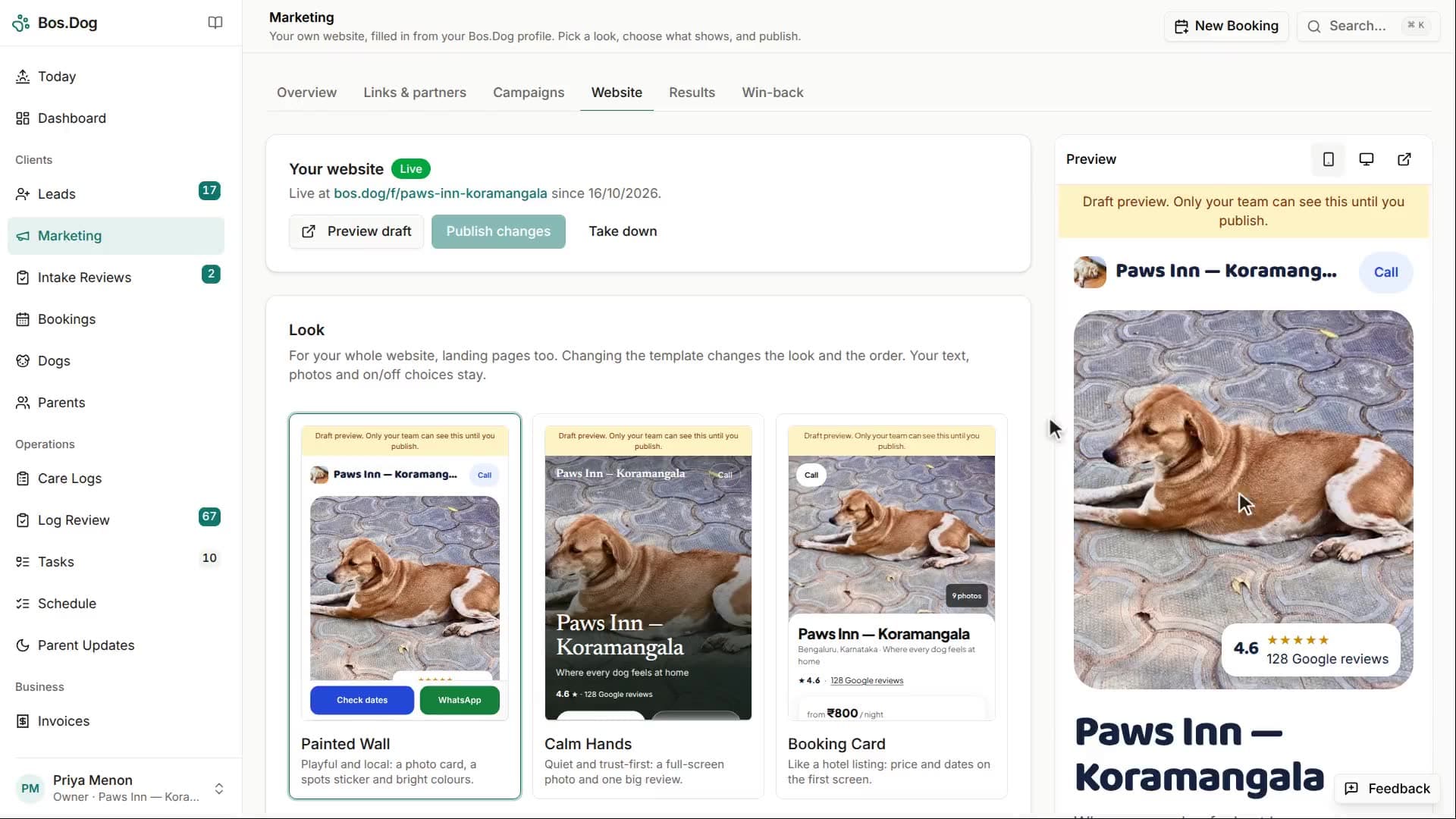
A website for your facility, free
Pick one of three templates and it fills itself from what you already keep in Bos.Dog: your photos, your Google reviews, your rates and the spots open this week. Change the colour, choose which photos and reviews show, and publish from your phone.
- Three templates, a live preview, and version history if you change your mind
- A landing page for each campaign, so an ad sends parents somewhere made for it
- Your own Google title and description, and a page that works on any phone
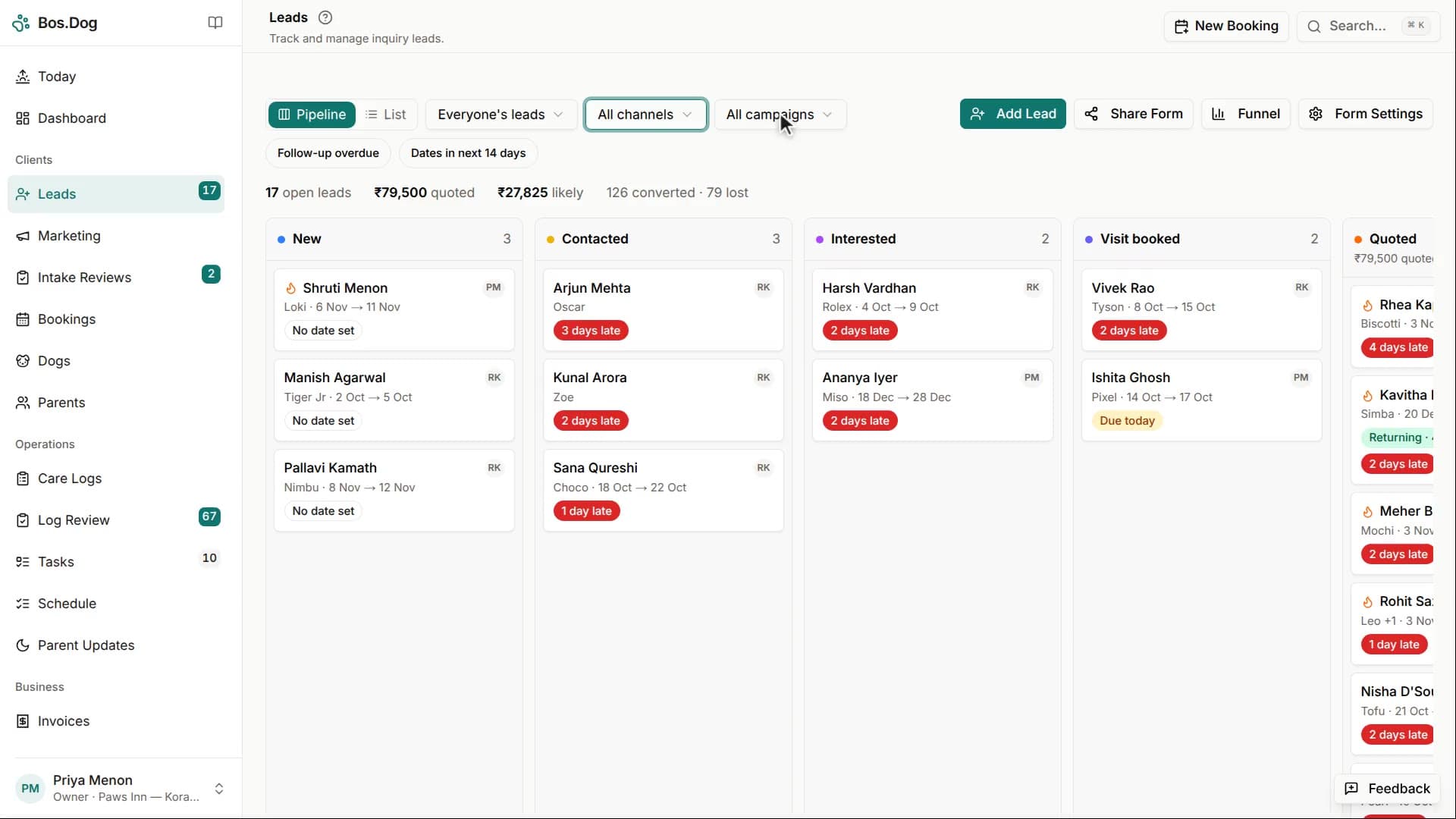
Enquiries stop living in your chat history
A parent finds your facility and fills in the dog's name, breed, dates and vaccinations. It arrives as a lead in your dashboard — not as a message you have to scroll back three days to find. You check the calendar before you reply, so the summer holidays stop getting double-booked.
- Every enquiry gets an owner, a stage and a date for the next follow-up
- Whoever owns it gets a push, and a nudge if it's still waiting
- Leads carry their source, so you learn what actually brings dogs in
- Availability is checked against real kennel assignments, not memory
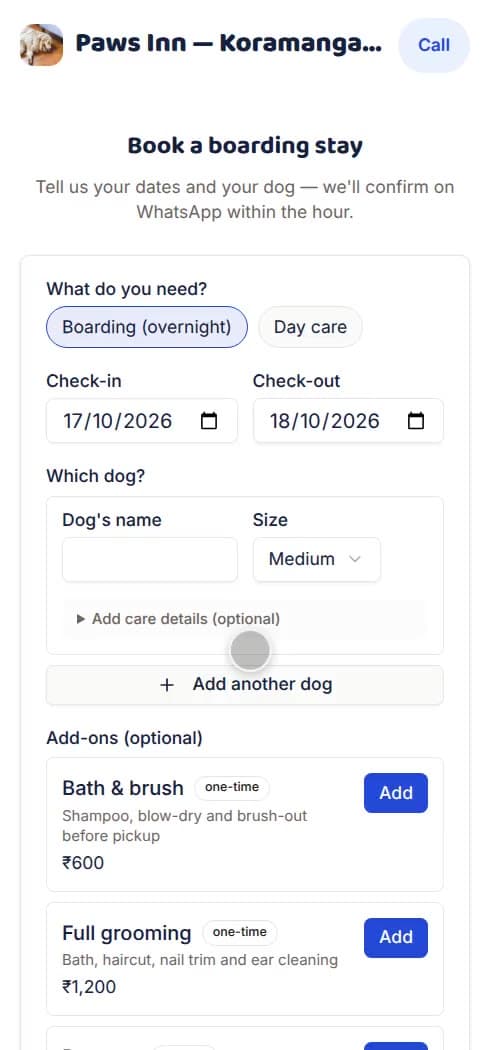
Parents book a stay without calling you
Turn on online booking and parents pick their dates, add their dog and send the request from your website, for boarding or day care. They agree to your terms as they book, and the request waits for you to approve it.
- Boarding and day care, at your own rates
- Your terms and conditions, agreed before the request is sent
- Nothing is confirmed until you say yes
2Run the stay
Then run every stay from one place
From the morning list to the report card, the day lives where your whole team can see it, and the parents can too.
One screen that tells you the truth about today
Who's in, who's due out, who hasn't eaten, which medication is still pending, and which kennels are free tomorrow. The board your whiteboard was trying to be.
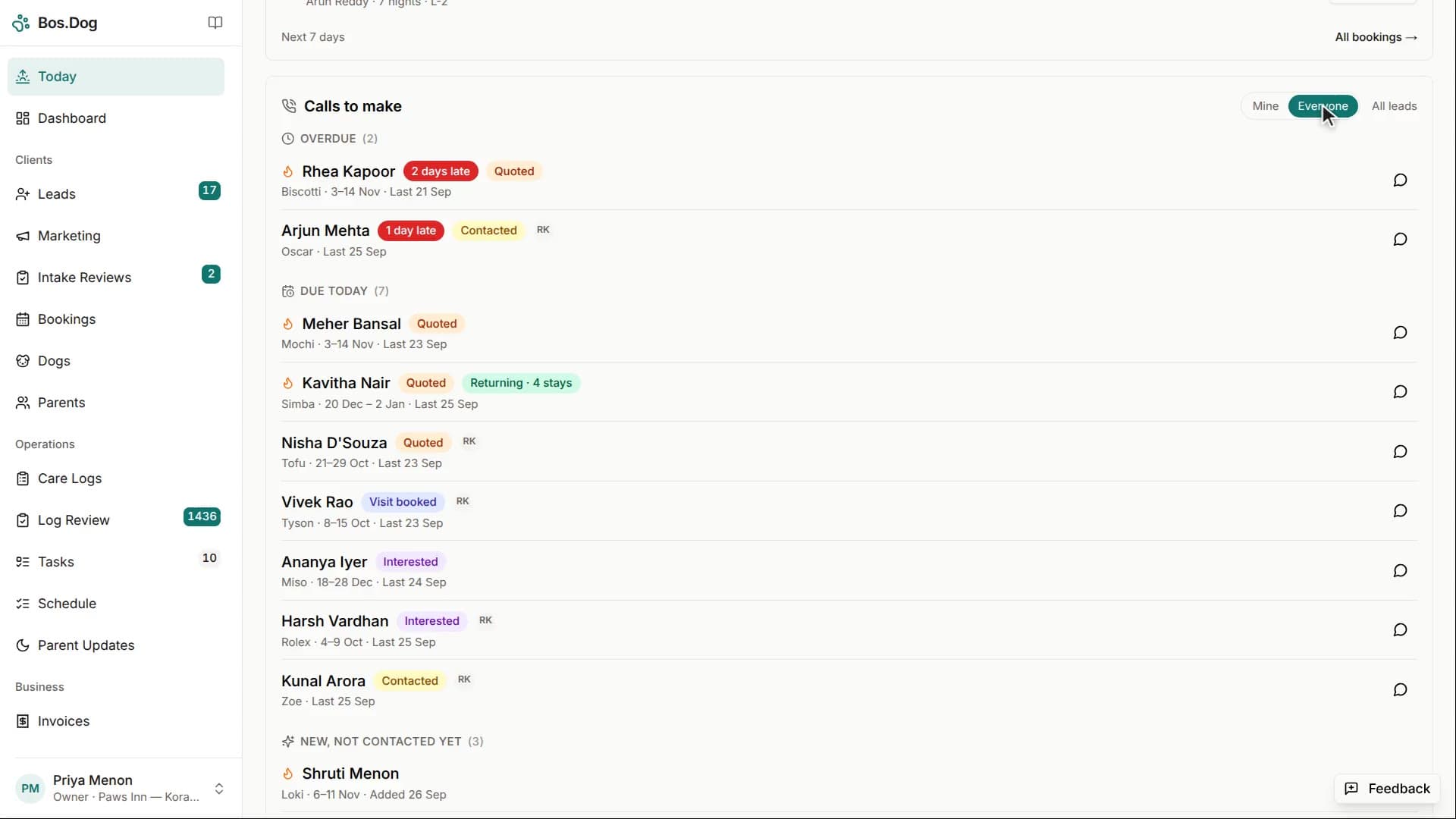
Your carer logs the day in taps, not sentences
Dinner service for eighteen dogs. Wet hands, one phone, a lead in the other. One tap per dog and the meal is logged. The same evening walk goes in once for six dogs instead of six times.
- Meals, walks, mood, medication, toilet, photos and notes
- Batch logging for anything that happened to a group of dogs at once
- The dog who skipped breakfast is flagged before a parent has to ask
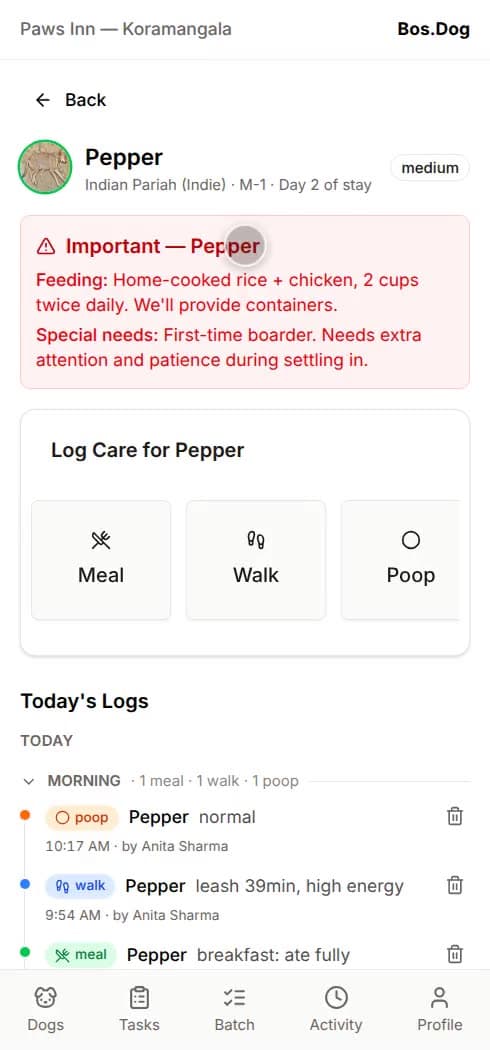
Parents stop calling, because they can already see
Every stay gets a private link you send on WhatsApp or by text. No app to install, no password to remember. Meals, walks, mood and photos appear through the day as your team logs them, and at 7pm a summary lands on the parent's phone.
- The portal is a link, not an install — it opens on any phone
- Daily updates compile at 7pm your time and push to parents who opt in
- Digital intake forms mean you know about the squeaky toy before drop-off
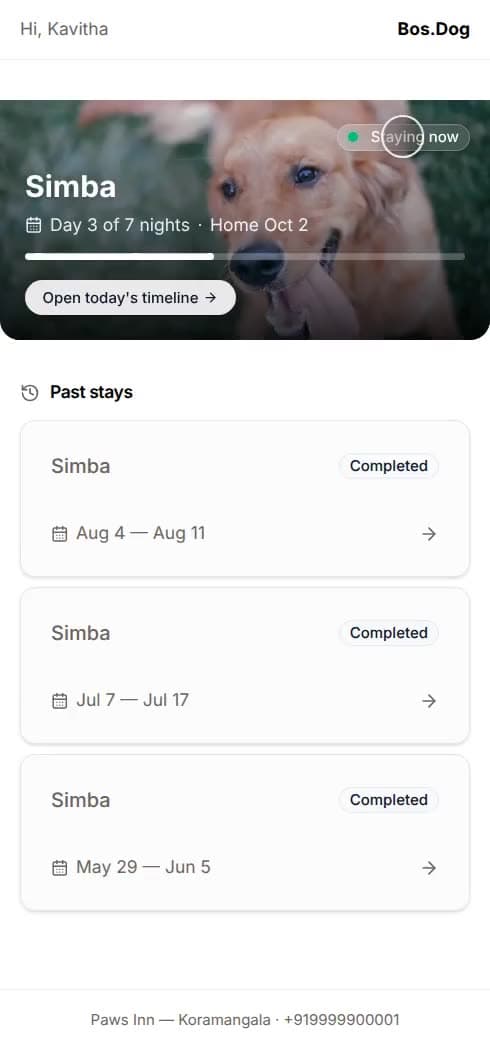
The dog goes home with something to show for the stay
Checkout builds a report card out of what your team actually recorded over the weekend — the meals, the walks, the mood, the photos — under your facility's name. One tap sends the link. It is the thing a parent screenshots and forwards to their family, and the reason the next parent hears about you.
- Compiled from real care logs, not written by hand at checkout
- Shares as a link, so there's no PDF to email and chase
- Parents can rate the stay from the card itself

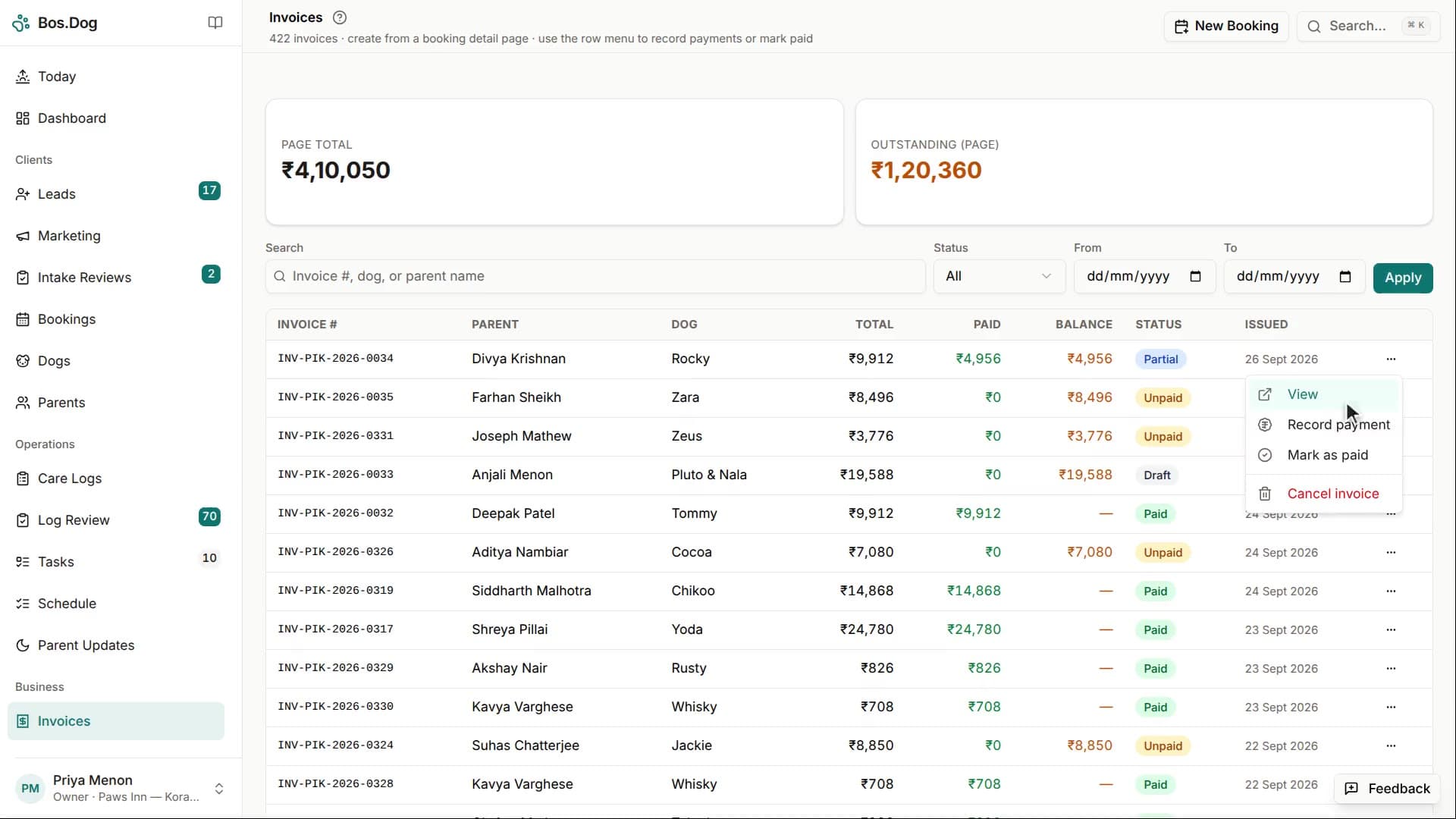
Invoices in pounds, without a spreadsheet
Raise the invoice from the booking that already has the dates and the services on it. Track what's been paid across the ways parents in your country pay. Send the parent a link they can open on their phone instead of a printout they'll lose.
- VAT on the invoice when you're registered, plus a PDF
- Payment tracking across the methods parents where you are actually use
- A service catalog, so add-ons price themselves
3Know if it's working
Then grow the business from the same place
Where your enquiries come from, which marketing pays for itself, who hasn't been back in a while, and whether the month actually made money. Each one is a short narrated walkthrough.
Win customers, and keep them
A tagged link and QR code for each channel, so every enquiry says where it came from
What each campaign cost, and the customers it brought in
Every enquiry, stay and invoice for one client, in order
Past customers to message before your next busy season
Know your numbers
What's booked ahead, the next peak, and this month so far
Profit and loss by month, and what a night earns and costs
What a customer costs to win, what they bring back, and how soon
Your busy months, and how often clients come back
Getting started takes an afternoon, not a quarter
- 1
Set up the facility
Find your facility on Google Maps, add your kennels and nightly rates, and your page is live. Three screens, then invite your staff when you're ready.
- 2
Run the day inside it
Book dogs in, share the intake form, assign carers, log meals and walks. All of it works on a phone.
- 3
Let the parents see it
Share the stay link, let the 7pm update go out on its own, and send the report card when the dog goes home.
And the rest of the job, too
- Kennel management with per-day assignment and double-booking prevention
- Check-in and check-out with weight, condition photos and special instructions
- Team access per person — owner, manager, carer, marketing, accountant
- Per-day dog-to-carer assignments and a daily task board
- Dog profiles with medical notes, feeding and behaviour
- Vaccination tracking with expiry alerts before drop-off day
- Expenses in a few taps, with rent and other monthly bills reminded on Today
- Multiple facilities from one login
- Installs as an app, with an offline fallback for weak signal

Built next to a kennel, not in front of a market report
I'm Sunny Luthra — a dog behaviourist and software engineer in Pune. I live with thirteen dogs and I run OhMyDog.Rocks, an Indian dog care community.
For years I watched the facilities I work with juggle WhatsApp groups, paper registers and hand-made invoices to look after fifteen to thirty dogs. The care was genuinely good. The way parents experienced that care was a mess — anxious refreshes, vague “he's fine” replies, and nothing at all to show for the stay once the dog went home.
Bos.Dog closes that gap. It isn't built from an office that has never smelled a kennel block — it's built next to my own pack, with boarding owners I've known for years telling me when I've got it wrong.
Questions worth asking first
What does it cost?
Nothing right now. Bos.Dog is free for every facility while we onboard our first ones, with no caps on dogs, kennels or staff, and your facility's website is included. We haven't settled on a commercial model yet — when we do, you'll hear it from us directly before anything changes.
Do I get a website?
Yes, free. Pick a template and it fills itself with your photos, reviews and rates; you choose the colour and what shows. It lives at a bos.dog address with your facility's name in it, and every enquiry from it lands on your leads board.
Can parents book online?
Yes, once you turn it on. Parents pick boarding or day care, choose their dates and agree to your terms, and the request waits for you to approve it.
Does it handle day care, or only boarding?
Both. A booking can be an overnight stay or a day care visit, and parents can request either online.
My staff aren't tech-savvy. Will they actually use it?
The carer screen is built for a shared phone held in one hand. Logging a meal is a tap, not a sentence. Staff sign in with a phone number and a PIN, so nobody needs a work email address.
Do parents have to install anything?
No. The parent portal is a link you share on WhatsApp or by text. It opens in whatever browser is already on their phone — no app, no account, no password.
Can you bring across the data I already have?
Yes. Send us your spreadsheet during onboarding and we'll import your dogs, parents and bookings for you.
What happens when the signal drops in the kennel block?
Bos.Dog installs to the home screen like an app and keeps working with an offline fallback when the connection goes. It's built for real conditions on the floor, not for office wifi.
I run more than one facility. Does that work?
Yes. One login, and you switch between facilities from inside the dashboard. Each one keeps its own dogs, parents, bookings, kennels and settings.
Does it work for a UK business?
Yes. A facility in the UK works in pounds, with VAT on its invoices, UK phone numbers and postcodes, and its own time zone.
Whose data is it?
Yours. Everything is served over HTTPS and backed up to separate storage. You can export your whole facility whenever you want, and erase a client's personal details when they ask.
Put tomorrow's dogs in it and see
Set up your facility, book in the dogs arriving this week, and send one parent a stay link. That's the whole test.
Already have an account? Sign in